
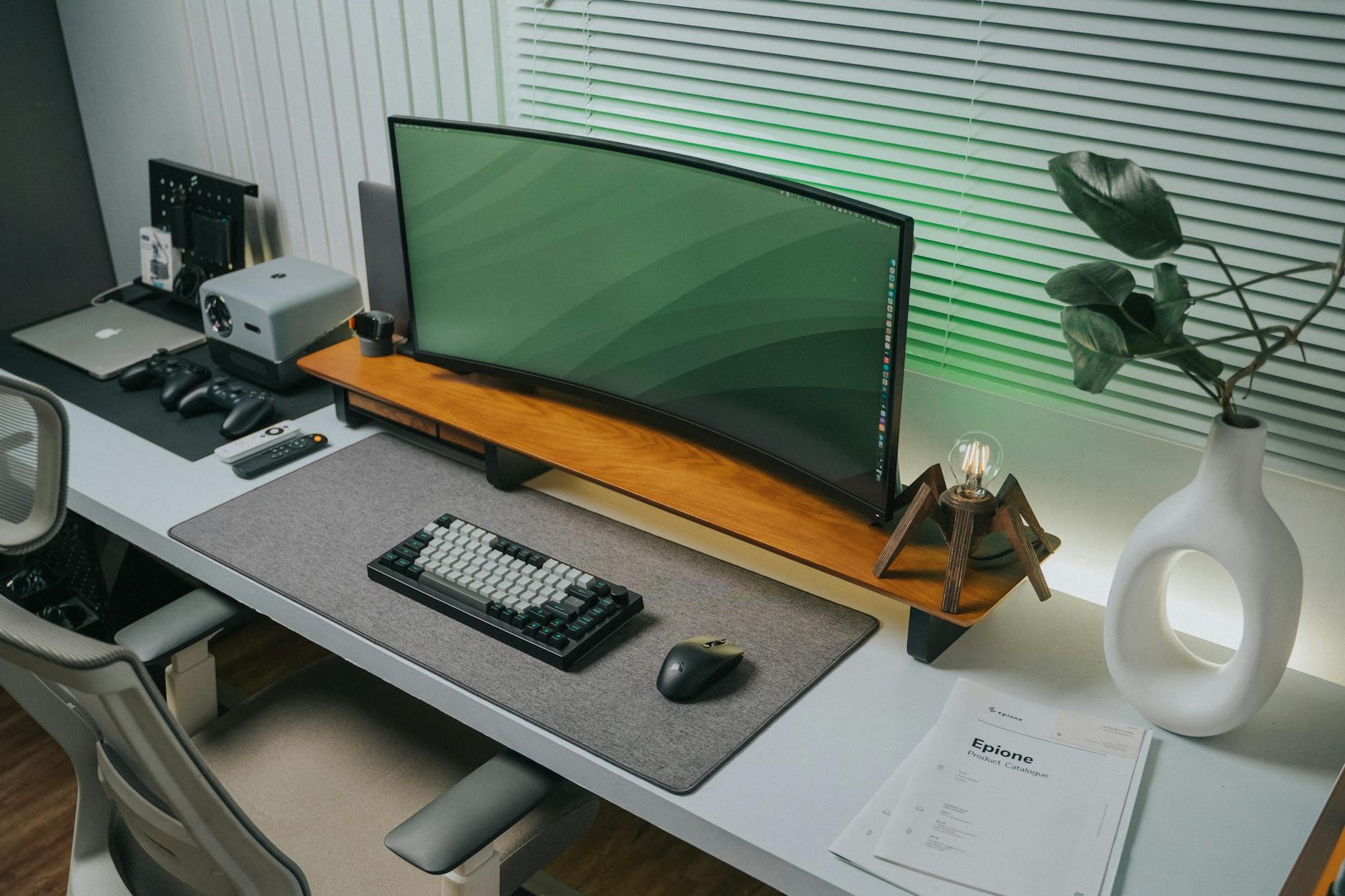
Optimizing Your Workflow Through Intentional Desk Organization
The physical space where we conduct our daily work directly influences cognitive performance and overall well-being. When designing a Work From Home environment, the challenge shifts from merely placing furniture to engineering an ecosystem that supports sustained focus. Effective WFH desk organization is not simply about aesthetics; it functions as a tangible system designed to reduce decision fatigue and minimize physical friction during task execution. We observe that cluttered surfaces generate visual noise, which taxes the prefrontal cortex, diverting attentional resources away from complex problem-solving.
We need systems that facilitate predictable interaction with our tools. Consider the materials we use. Wood grain, matte metal finishes, or smooth acrylic surfaces all contribute to the perceived environment. These choices interact with ambient lighting to modulate mood; for instance, incorporating Moody Jewel Tones into your desk accessories can create an enveloping sense of calm, directly impacting stress regulation while working.
Establishing Foundational Zones on Your Workspace
A successful organization strategy begins by segmenting the workspace into functional zones. This prevents the entire area from becoming a chaotic repository. We should establish clear boundaries for different activity types. One zone is dedicated to active work—the keyboard, mouse, and primary monitor. Another zone handles reference materials—pens, notepads, and frequently accessed documents. A third zone manages supplies that require periodic access but do not need constant visibility, such as charging cables or stationery reserves.
The goal here is creating spatial coherence. When items belong to a defined zone, retrieval becomes an automatic process rather than a deliberate search. This mechanical efficiency frees up mental energy previously spent scanning for misplaced items. Think about the flow of your work; if you constantly reach across the desk to find a specific file, that micro-interruption costs significant time and focus.
Vertical Space Utilization for Maximizing Surface Area
Desks are inherently two-dimensional planes, yet our needs—for monitors, notebooks, and supplies—demand three-dimensional solutions. Utilizing vertical space is a critical mechanism for expanding usable real estate without encroaching on the primary working surface. Monitor arms are a prime example of this principle; by suspending the display, you reclaim significant horizontal space underneath it, which can then be used for organizing peripherals or stationery holders.
Drawer systems require specific attention. Generic drawers often result in items migrating to the bottom, creating unusable dead space. Implementing adjustable dividers or custom-cut inserts allows you to tailor the internal geometry precisely to the dimensions of your items, maximizing density and accessibility simultaneously. We are looking for solutions that manage density effectively.
Managing the Digital Clutter: Integrating Tech into Organization
The digital realm often contributes more chaos than physical objects. Unmanaged digital files create an implicit mental load, even when physically organized. Therefore, linking physical organization with digital hygiene becomes a necessary step in achieving holistic desk organization. Implementing a standardized folder structure across your desktop and cloud storage ensures that the physical setup mirrors the digital architecture.
Cable management is another area where mechanical principles yield significant returns. Loose cables introduce visual clutter and potential safety hazards. Employing cable raceways, adhesive clips, or under-desk trays physically contain the wiring. This process transforms an unsightly tangle into a managed conduit running along the desk legs. The resulting clean lines support the aesthetic goal of coziness by eliminating visual distraction.
Ergonomics and Organization: A Symbiotic Relationship
The relationship between physical setup and ergonomic health is deeply intertwined. Poor organization forces awkward postures, which leads to physical strain over long working periods. When tools are easily accessible and positioned correctly, the body can maintain a neutral alignment naturally. We must analyze how your organization choices influence posture. For example, keeping frequently used items within easy reach reduces reaching and excessive leaning.
The choice of accessories also plays into this mechanism. Choosing ergonomic mouse pads or wrist rests not only improve physical comfort but also contribute to the aesthetic coherence of the setup. These elements are small inputs that cumulatively define the usability of the space. When you invest in high-quality organizational tools, you are investing directly in sustained productivity and physical health.
Curating Accessories for Atmosphere
The items placed on the desk serve a dual purpose: utility and ambiance. We can select objects that actively support the desired atmosphere. For creating a truly cozy environment, consider textures and warm tones in your accessories. Items made of natural materials like cork, woven textiles, or matte ceramics absorb light differently than glossy plastics, contributing to a softer visual experience.
This approach aligns well with broader interior design principles. When you establish a base layer of warmth, subsequent elements—like desk organizers or lamp choices—should reinforce that sensory input. Imagine layering textures; this is similar to layering comfort in your living space, where Ultimate Cozy Bedding Layers for Every Season provide foundational softness, and now we apply that principle to the workspace.
The Iterative Process of Refinement
Desk organization is not a one-time task; it is an iterative process demanding regular assessment. As workflows evolve, so too must the physical setup adapt. We observe that systems decay when they are static. Schedule periodic reviews—perhaps quarterly—to assess where friction points still exist. Do the current boundaries effectively support your changing tasks? Are the cable management solutions still effective?
This continuous feedback loop ensures that the system remains optimized for peak performance. Adjusting a drawer divider or repositioning a monitor stand offers immediate, tangible improvements to the operational experience. This constant refinement transforms the workspace from a static arrangement into a dynamic tool tailored precisely to the occupant’s evolving needs and aesthetic goals.
Tags: WFH setup, desk organization, ergonomics, home office, workspace design, cozy decor, productivity
Featured Image by Minh Phuc on Pexels.