
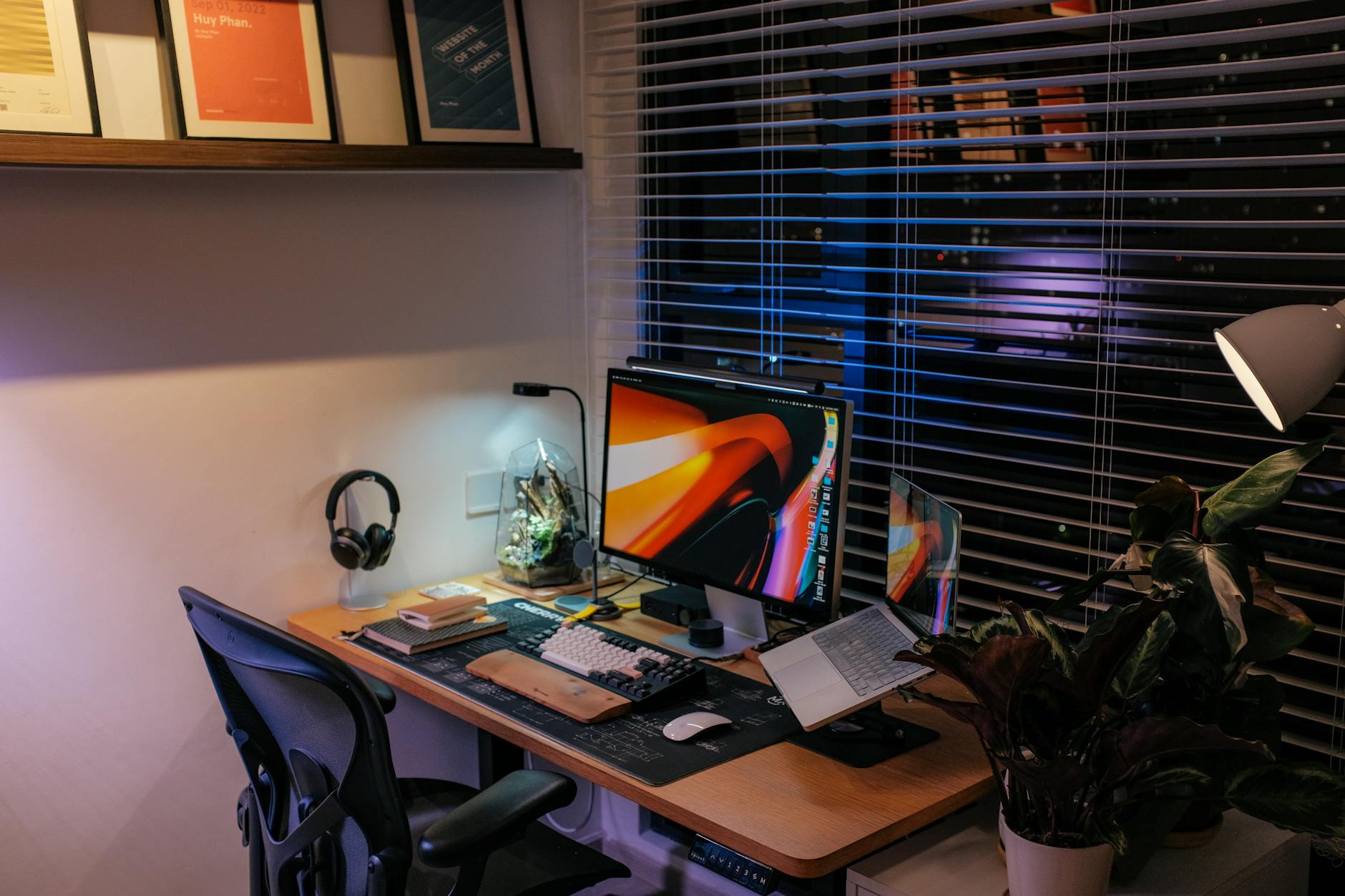
Engineering Your Sanctuary: The Science Behind the Ergonomic Home Office Setup
Creating a space where deep work happens requires more than just aesthetically pleasing furniture; it demands an understanding of biomechanics and environmental physics. We are not simply arranging objects; we are optimizing the physical interaction between the user and their workspace to maximize focus and minimize strain over prolonged periods. The concept of an **ergonomic home office setup** moves beyond simple aesthetics into applied human factors engineering.
We observe from the data that poor positioning initiates a cascade of musculoskeletal issues. When the monitor is too low, the neck must flex forward; this places undue load on the cervical spine. Similarly, improper keyboard placement forces the wrists into unnatural deviations, increasing the risk of carpal tunnel syndrome. The objective, therefore, becomes designing a system where the body’s natural posture aligns seamlessly with the workstation’s geometry. This requires precise calibration rather than guesswork.
Optimizing Seating Mechanics for Sustained Focus
The foundation of any productive setup is the seating apparatus. A standard office chair offers minimal support when subjected to the dynamic shifts inherent in focused concentration. We need a system that allows for dynamic postural adjustments without requiring conscious, strenuous muscular effort.
We analyze the critical contact points: the lumbar region and the pelvic cradle. Optimal support occurs when the chair’s curve matches the natural inward curve of the spine, maintaining the lumbar lordosis. If your chair lacks adjustable lumbar support, you must introduce an external mechanism—perhaps a specialized cushion or an adjustable backrest—to bridge that gap. The goal is to maintain the neutral S-curve of the spine, which minimizes compressive forces across the discs.
When assessing seating options, consider the depth and width adjustments available. A seat that is too deep forces the thighs to angle awkwardly, restricting circulation; a seat that is too shallow leaves the posterior thighs unsupported. We find that adjustable seat depth allows the user to position their feet flat on the floor while ensuring the thighs are properly supported, which directly impacts lower body circulation and overall relaxation. This principle of balanced support extends beyond the chair itself; it influences every surface we interact with.
Visual Hierarchy: Calibrating Screen and Desk Placement
The relationship between the visual plane—the monitor—and the user’s eye level is a primary determinant of visual comfort and fatigue. Misalignment forces the eyes into constant, minor compensatory movements, which drains cognitive resources meant for the task at hand. We must establish a visual hierarchy where essential information is easily accessible without neck strain.
The top edge of the screen should align roughly with or slightly below eye level when seated upright. This positioning ensures that the user’s gaze remains relatively level, reducing the need for upward or downward head rotation. If you are working at a desk, ensure your monitor arm or stand allows precise vertical and depth adjustment. A simple measurement—the distance from the eyes to the screen plane—is a crucial metric we must aim to maintain consistently.
Desk placement also feeds into this visual calibration. Placing the desk too high necessitates an upward gaze, exacerbating neck tension even if the monitor is perfectly positioned. Conversely, placing it too low forces the user to hunch forward, engaging the upper back muscles unnecessarily. We observe that a height between 29 and 30 inches for the desktop surface often provides a comfortable baseline when paired with appropriate chair adjustments.
Input Devices: Fine-Tuning Hand and Wrist Biomechanics
The interaction points—the keyboard, mouse, and writing implements—require specialized attention because these movements are repetitive micro-actions performed thousands of times daily. The mechanism by which we type or click must be designed to reduce strain on tendons and joints.
For the wrists, maintaining a neutral position is paramount. When typing, the wrists should remain straight, neither bent up nor down, and not angled inward or outward. This requires an appropriate wrist rest or, ideally, a fully articulating keyboard tray that permits this neutral alignment. Excessive wrist extension places strain on the carpal tunnel structures.
The mouse itself introduces another layer of complexity. Using a standard mouse forces the arm into an unnatural pronation (palm-down rotation), which can lead to shoulder and forearm tension over time. Exploring alternative input methods, such as vertical mice or trackballs, shifts the interaction point to a more natural hand position, reducing the required reach and rotational strain on the shoulder girdle. We see a correlation between reduced reach distance and lower perceived physical effort during intensive tasks.
Environmental Context: Blending Functionality with Cozy Aesthetics
The pursuit of an ergonomic setup often clashes with the desire for a cozy environment. A functional office should not feel like a sterile laboratory; it must integrate seamlessly into the living space. The tension arises when prioritizing pure function over sensory comfort. Our analysis suggests that true coziness is achieved when functionality is integrated subtly, not imposed harshly.
Consider the ambient elements. The lighting plays a significant role in reducing eye strain and setting a relaxed mood. Harsh, direct overhead lighting creates glare and visual fatigue. Instead, implement layered lighting: utilize soft, diffused lamps for general ambiance and task lighting that is adjustable and minimizes shadows on the workspace. Warm color temperatures, typically below 4000 Kelvin, promote a sense of calm conducive to concentration.
The materials selected further influence this integration. Incorporating natural textures—wood tones, wool textiles, or stone accents—introduces organic warmth that counters the cold, hard geometry of technology. This is where the aesthetic choice moves from mere decoration into functional design. For example, selecting natural wood for desk surfaces provides a tactile connection to nature while offering a warm visual anchor for the workspace. If you are looking to introduce natural elements elsewhere in your home, examining materials like rustic bathroom wood and stone accents demonstrates how these tactile qualities can permeate an entire living space, creating a unified atmosphere.
Acoustic and Spatial Management
Sound pollution acts as a constant, low-grade stressor that actively degrades concentration capacity. In a busy home, ambient noise—traffic, household activity—competes with the focused mental effort required for complex tasks. Managing the acoustic environment is an overlooked aspect of achieving peak productivity in a home setting.
We must control both external and internal sound intrusions. Hard, reflective surfaces cause echoes, amplifying distracting sounds. Introducing soft furnishings, area rugs, and fabric wall hangings serves to absorb sound waves, creating an acoustically softer zone. This absorption dampens reverberation, allowing focused auditory processing to occur unimpeded.
Creating a defined zone for the office helps psychologically separate work time from relaxation time. Even if the office shares a room, defining it spatially signals to the brain that this area is reserved for specific cognitive demands. If space allows, utilizing visual barriers or carefully placed shelving can help delineate this boundary effectively. This spatial separation reinforces the psychological contract between the user and their environment, supporting deeper engagement with the work.
Achieving an **ergonomic home office setup** is a process of iterative refinement. It involves systematically addressing the physical constraints imposed by our bodies while simultaneously engineering an environment that supports cognitive flow. By treating the workspace as a system—analyzing posture, input mechanics, lighting, and acoustics—we move beyond simple decoration toward intentional, high-performance living.
Tags: home office setup, ergonomics, cozy decor, workspace design, home office, productivity tips, office comfort
Featured Image by Huy Phan on Pexels.